Old Photo Restoration
Improve faded, worn, or low-quality photos while keeping the image faithful to the original subject.
Repair, colorize and restore old, faded, scratched or black-and-white photos in a single workflow.
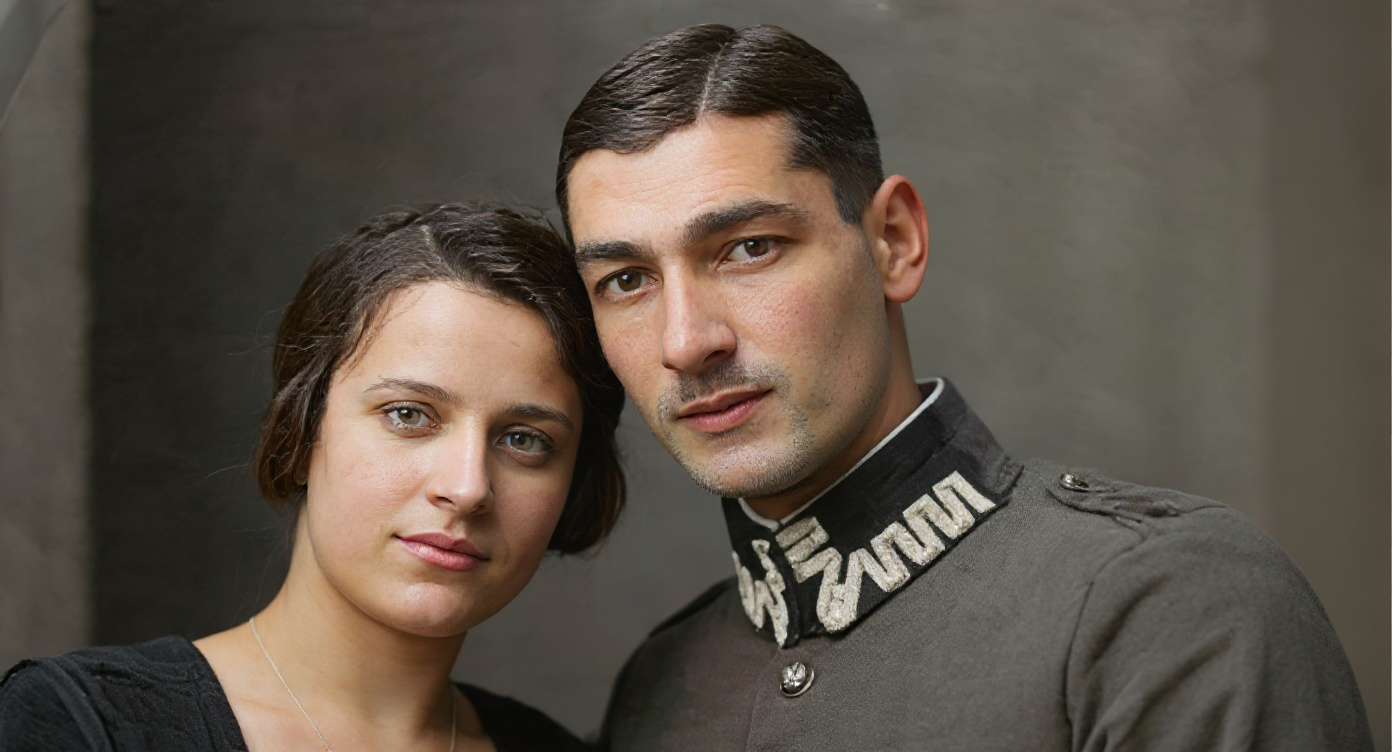
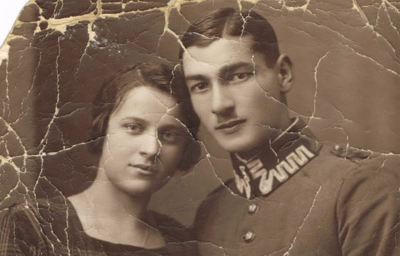
AI image restore
Pixae image restore turns damaged, faded, noisy, or black-and-white photos into cleaner, more usable images. Upload an old family photo, archive scan, historical image, or worn portrait and Pixae helps remove stains, dust spots, scratches, stripes, and torn sections while restoring color and photographic clarity.
Repair, clean, and colorize old images in one workflow
Improve faded, worn, or low-quality photos while keeping the image faithful to the original subject.
Reduce scratches, stains, dust spots, stripes, noise, and torn areas from scanned photos.
Add natural-looking color to black-and-white or sepia photos as part of the restoration process.
Use the slider preview to inspect restoration changes before downloading the finished image.
Restore family photos, historical scans, personal archives, and documentary images online.
Image restore is recorded as its own workflow in your Pixae credit history.
Three steps to repair and colorize old photos
Choose an old, scratched, torn, faded, or black-and-white image in JPG, PNG, or WebP format.
Pixae applies a dedicated image restore prompt to clean stains, repair damage, reduce noise, and colorize.
Inspect the original and restored result with the slider, then download the finished photo.
Bring personal, historical, and scanned images back to life
Restore old portraits and personal memories.
Add natural color to monochrome photos.
Clean scanned images for preservation.
Repair scratches, folds, and visible damage.
Improve faces, clothing, and photographic tone.
Prepare clearer visuals for research and storytelling.
Refresh photos before sharing or printing.
Recover source material for design and video.
Pixae image restore wraps a focused repair instruction around your uploaded image so the output targets cleaning, colorizing, scratch reduction, noise cleanup, and torn-section repair. The workspace keeps the original visible next to the restored result for quality control.
AI
Image Restore
8MB
Max File Size
3
Step Workflow
HD
Download Result
Everything you need to know about Pixae image restore
It is designed to improve old photos by reducing stains, scratches, dust spots, noise, stripes, fading, and visible damage.
Yes. The restore workflow includes colorization so black-and-white or sepia photos can become more natural-looking color images.
The workflow is intended to improve quality while keeping the original subject and scene recognizable.
Yes. Pixae includes a before-and-after slider and fullscreen comparison for checking the result.
You can upload common web image formats including JPG, PNG, and WebP up to 8MB.
Image restore appears as its own business type in your Pixae credit activity, separate from prompt-based generation.